FieldProof
Enterprise-grade field tracking real-time photo verification, and custom management dashboard for modern service crews
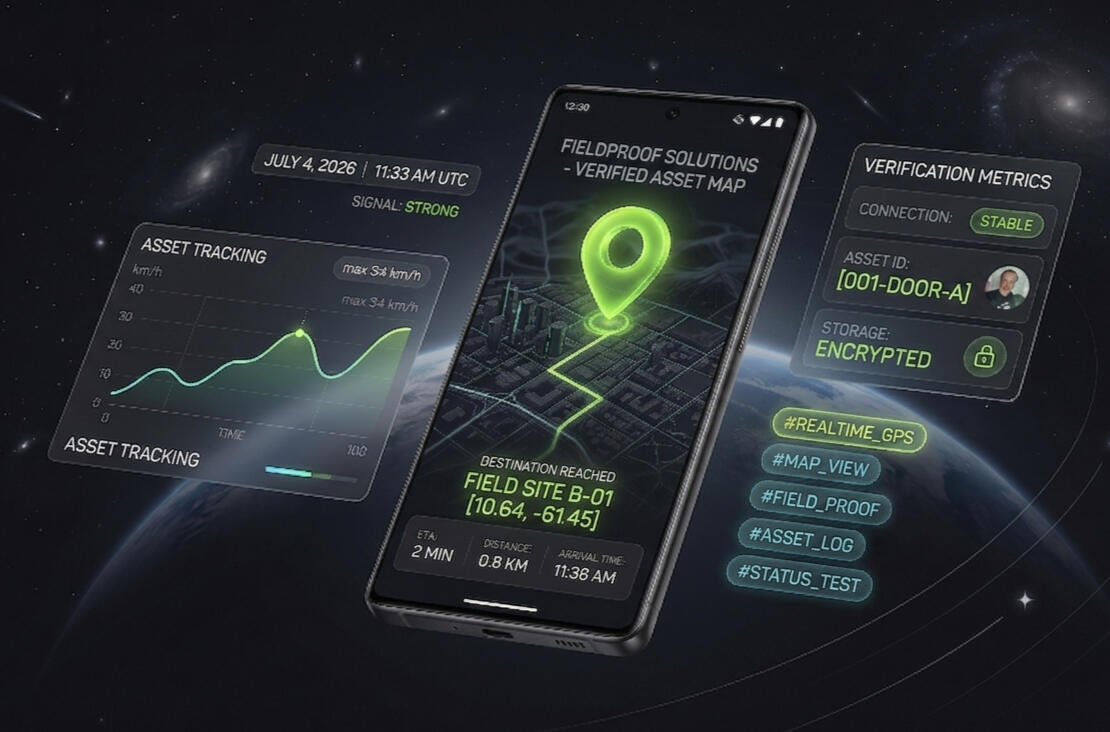
PLATFORM CAPABILITIES
Built to streamline your crew's daily workflow.
✓ In-app chat. Managers and technicians can message each other inside the app.✓ Map-Based Photo Review
Managers see photos from the technicians under them, pinned at the location where each was taken. Technicians see their own photos and jobs on their map. It is a map of captured photos, not live tracking.✓ Organised Job Folders
Each photo carries the technician's name, location, job status and the time the phone reports. Photos are filed into named job folders.✓ Storage you control
Standard clients' files sit in FieldProof's Google Workspace, shared with the manager, who can copy them at any time. Enterprise adds 2TB of storage and lets the client take over the back end.
Frequently Asked Questions
Q: Where do managers access the technician job folders?
A: Each job folder is shared with the manager's email address, so the files are available from their shared drive and in the app's manager dashboard. A manager sees every folder for the technicians under them.
_
Q: Can technicians upload photos from their personal phone gallery or local drives?
A: No. Photos can only be taken with the in-app camera, with location on. Time and location are recorded as the phone reports them, so we don't call them tamper-proof. If location is off, capture is blocked.
_
Q: Can managers view field photos before a job is officially submitted?
A: Yes. Photos appear on the manager's map, pinned where they were taken, and the technician sees their own on theirs. The map shows captured photos, not a live position. Cut the line about photos clearing off the map after submission
_
Q: Can technicians view their own historical job folders?
A: Yes, only their own. If a technician deletes a job folder, the manager's copy stays. Deletions are not logged.
_
Q: Is there an upload cap on the number of photos per job?
A: Technicians can add multiple photos to one job folder.
_
Q: What are the technician seat limits for a manager's account?
A: You can scale your crew infinite. You simply scale your crew capacity by purchasing additional operational licenses.
_
Q: How much secure storage space does our team get?
A: Standard clients' photos are stored in FieldProof's 2TB Google Workspace, shared with your manager. Enterprise includes their own drive, sub-accounts and dedicated support.
_
Q: Do photos taken in the app save directly to the device's local camera roll?
A: No. Photos stay inside the app and your job folders, so personal phone storage stays clear.
-
Q: What devices are supported, and how do my technicians download the app?
A: FieldProof is a web app opened from a secure link (HTTPS). Technicians use a smartphone, because photos need the camera and location, and they can save it to their home screen. It needs an internet connection and location to work. With location off, photos are blocked.

Contact
Call or Whatsapp: 1868-390-5228Email: [email protected]
How It Works
Phase 1: Dashboard (Manager)1. Quick Sign-Up
The manager signs up with their email and enters their name and company name.2. Your Drive Is Set Up
Once you save your name and email, your company's folder is created in FieldProof's Google Workspace and shared with your email. Enterprise clients can take full control of the back end.3. Add Your Crew
Once in, add your techs. Your manager profile can also double as an active tech seat.
Phase 2: Field Crew (Technicians)1. Add The Technician
Enter their name and email in your manager dashboard.2. Automated Invitation
The technician receives a sign-in link by email. There is no password to manage.3. No Formal Training
The instructions are built into the app and take under a minute to read, so a technician can start on the job site.
Create Your Account ↓
Activate your 72-hour full access trial.
Choose Project Pass for immediate, high-capacity 2TB deployment on active service assignments.
Warning: Project Pass data and account profiles are automatically purged instantly upon 7-day expiration.
GET 7-DAY PROJECT PASS 1 TIME USE
Billed month-to-month. Cancel anytime.
GET 30-DAY MONTHLY PASS
$39 / mo USD — Billed annually ($468 total). Save 20%!
GET 365-DAY YEARLY PASS BEST VALUE
Do my technicians need formal training to use FieldProof?
A: Absolutely not. FieldProof was built from the ground up specifically for field crews, meaning there is zero learning curve. We don't use heavy manuals or boring training videos. All instructions are embedded directly inside the app and take less than 1 minute to read. They can read it on the job site and master it instantly.
Secure, tamper-proof field asset tracking built for modern operations.
Privacy Policy • Terms of Service • Cancellation Policy
© 2026 FieldProof Solutions
FieldProof Solutions — Platform Legal Policies
1. Privacy Policy
FieldProof Solutions is committed to protecting the operational data of your business and field crew.
• Data Collection: We collect user names, corporate/personal email addresses, company names, field photographs, and automated GPS/time-stamp metadata strictly to provision and maintain the tracking service.
• Data Isolation & Encryption: All uploaded field media is securely isolated and hosted within an encrypted cloud ecosystem utilizing high-security infrastructure. Your operational data is never sold, shared, or distributed to third-party marketing entities.
• Device Privacy: The FieldProof application does not save media directly to a technician's local device camera roll, keeping personal storage clear and protecting client confidentiality.-2. Terms of Service
By activating a FieldProof Solutions manager or technician account, you agree to the following operational terms:
• Account Responsibility: Managers are entirely responsible for the distribution of technician seats and ensuring assigned field crew members protect their secure login credentials.
• Platform Availability: FieldProof is an operational documentation tool. While we maintain high uptime standards, FieldProof Solutions is not legally liable for project delays, insurance disputes, or contract losses resulting from unexpected cell service drops, remote mapping limitations, or user operational errors in the field.-3. Cancellation & Data Retention Policy
To keep premium 2TB storage tiers sustainable, we enforce a strict data recycling protocol upon account termination:
• Immediate Status: When a subscription is canceled or payment fails, your account access will be frozen at the end of your active billing period.
• 30-Day Grace Period: You have a clear 30-day grace period from the date of cancellation to contact operations support and request a temporary data export link to download your historic job folders.
• Data Destruction: On day 31 following cancellation, your dedicated company cloud storage vault will be permanently wiped and recycled. FieldProof Solutions cannot recover data once a vault has been purged.